Features
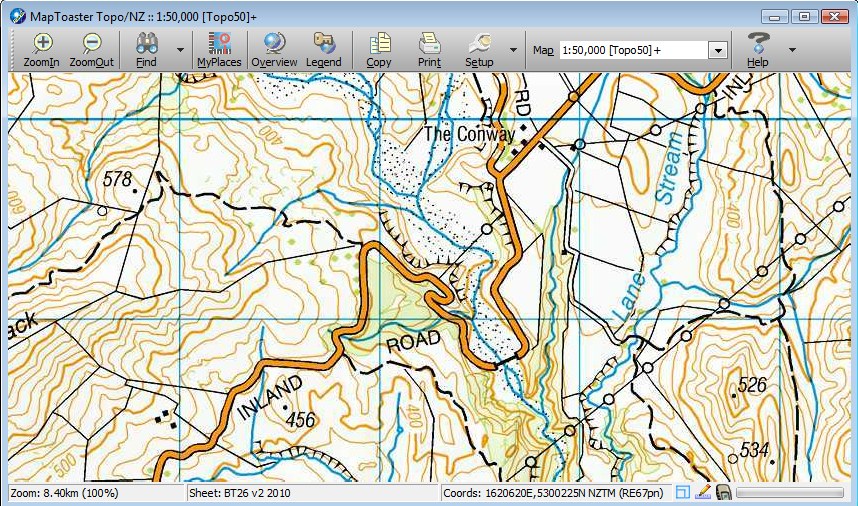
Maps for Your PC
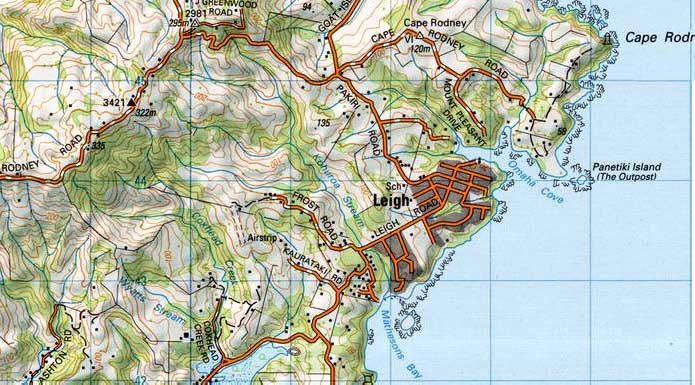
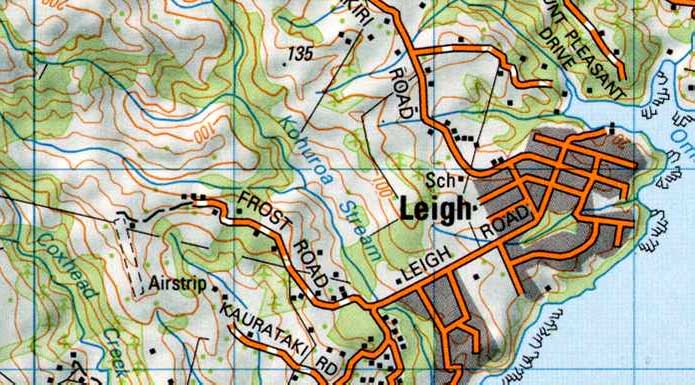
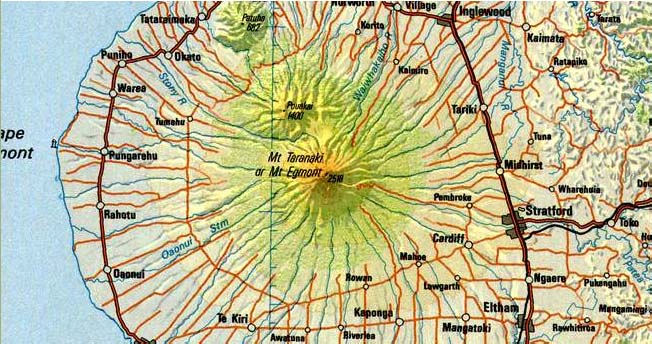
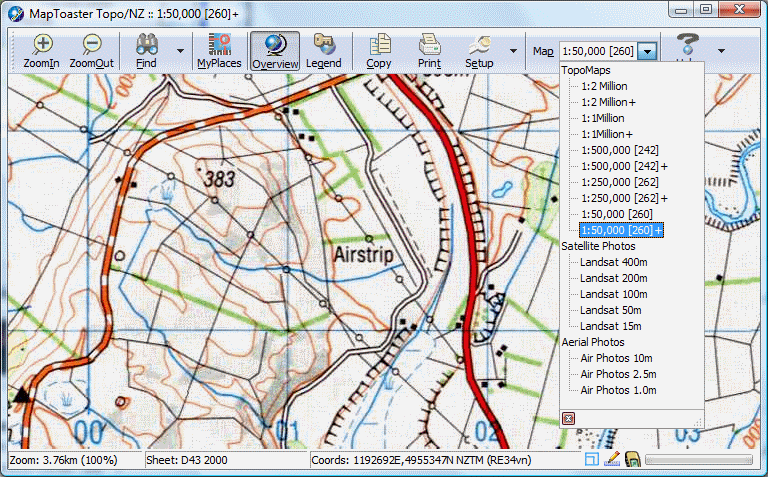
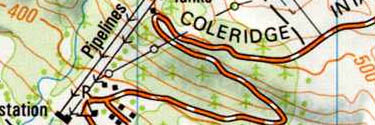
| Wide Range of Map Scales | Includes all the LINZ topographical maps from 1:50,000 to 1:2 million scales, providing optimum cartography for the scale you're viewing. Include the new Topo50 and Topo250 NZTM map series. Mapping is New Zealand Transverse Mercator (NZTM 2000) projection. |
| Rich Detail |
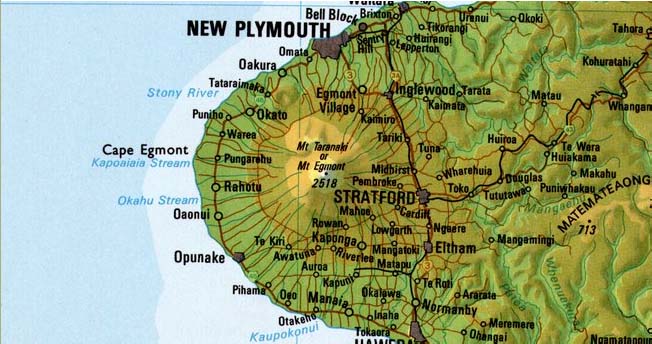
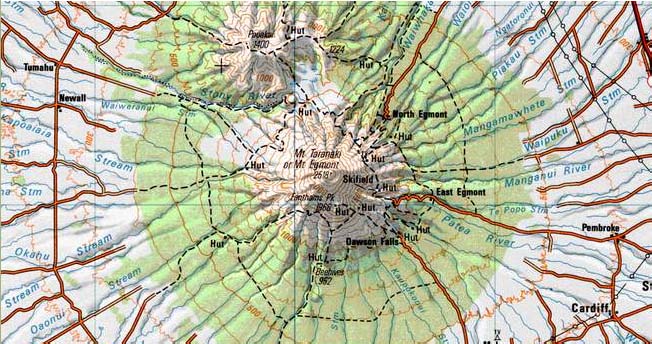
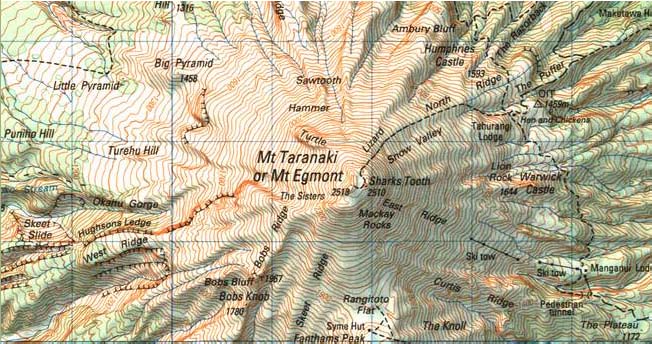
Reproduces all the rich detail and cartography of the LINZ topomaps. Maps are provided at 254dpi (127dpi in the Standard Edition™) which will allow print quality near to the LINZ printed maps (note final print quality depends on the printer an paper you use). The 1:50,00 scale topo map includes DoC Conservation Estate boundaries (purple outline) and Scenic and Recreation Reserves (red outline). |
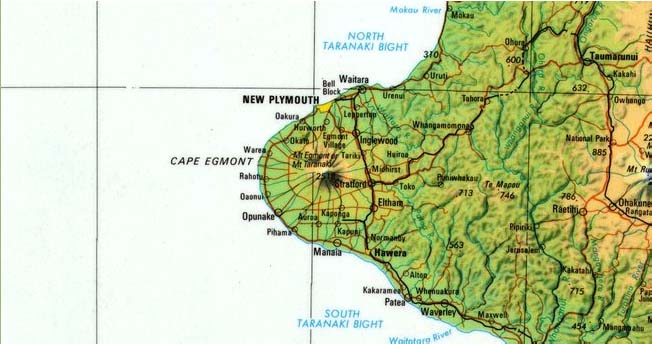
| Seamless Coverage | Topomaps over mainland New Zealand, Stewart Island and coastal islands mosaiced into to a continuous map. Also see aerial and satellite imagery of the same view, at the click of a button. Off-shore islands, such as Chathams, Auckland Islands etc are not included. |
| Speed and Privacy | Since the maps are stored on your hard drive, you don't need an internet connection. Unlike web-based mapping systems screen refreshes are almost instant and no-one is tracking the maps you are looking at. |
| Up-to-date | Includes all the LINZ 1:50,000 Topo50 and 1:250,000 Topo250 maps published up to November 2024. Many sheets have had tracks and huts updated from Dept of Conservation data. Aerial photography is from 2010 to 2018. |
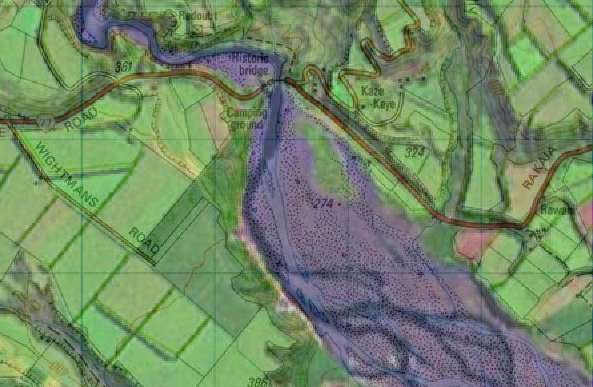
| Topo Overlay | Aerial and satellite imagery can be overlayed with a transparent topomap to create a very rich view of the landscape. You can clearly see roads, walking tracks, placenames, contours and other map features overlaid on the photos. See a sample. |
| Shows Sheet Dates | When you're using a map it's important to understand when it was last revised. The 1:50,000 topomaps are updated periodically. While many sheets have been updated in the last 1-2 years, many are older. The MapToaster status bar shows the sheet number and age of the maps/aerial photos in the current view. This information is also shown on the maps that you print. |
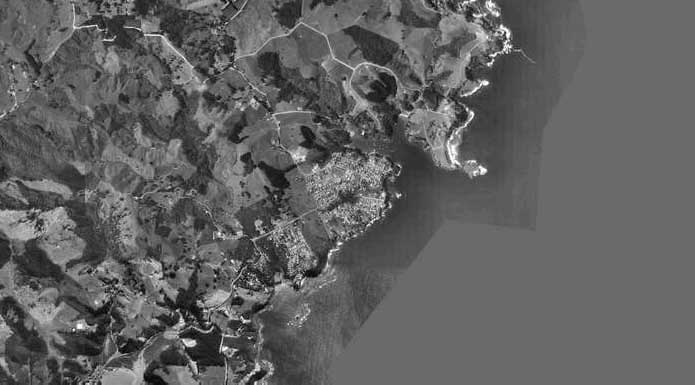
| Aerial Photography | MapToaster includes integrated aerial photography of almost all of New Zealand. 10 metre/pixel imagery is included with all Editions. 2.5 metre/pixel imagery is included with the High-Resolution Edition™. The imagery was collected between 2010 and 2018. |
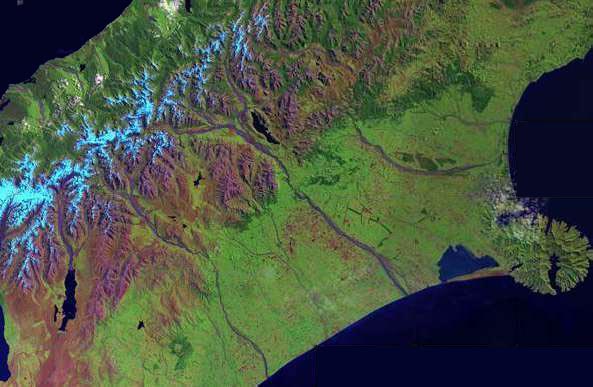
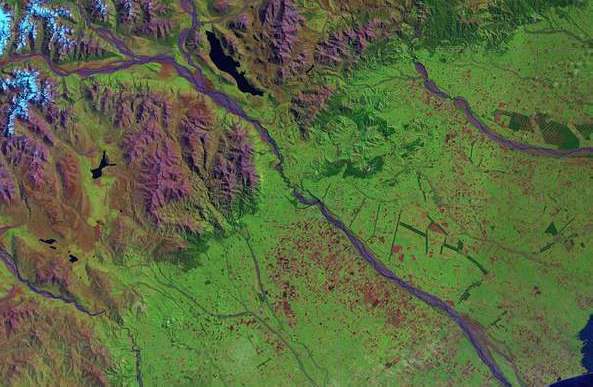
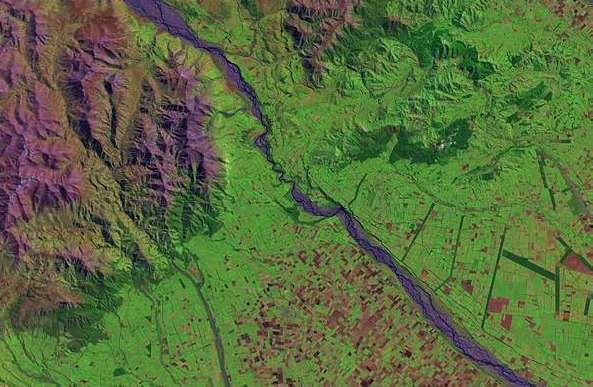
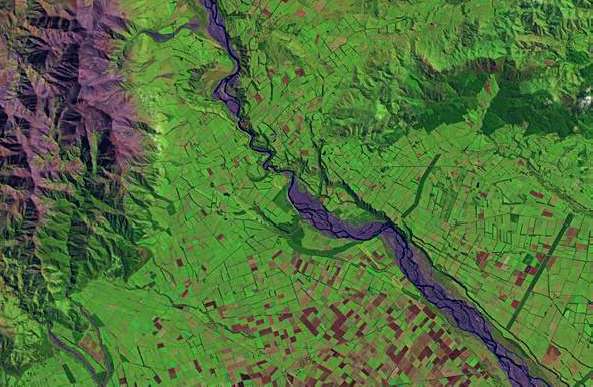
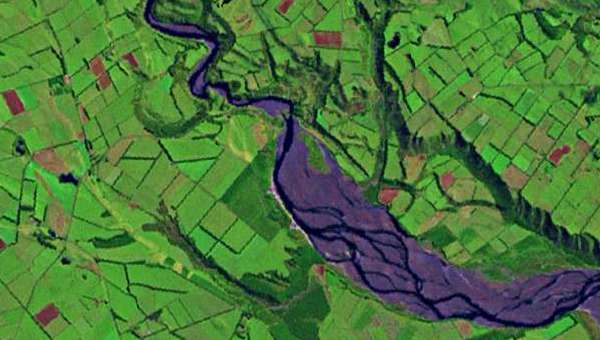
| Satellite Imagery | MapToaster includes integrated satellite photography of almost all of New Zealand. A variety of resolutions are, down to 15 metres/pixel are included with all Editions. |
| Download a PDF Overview | Download a PDF overview |
Software
| Easy to Use | The software is very easy to use. It's designed to make it easy to access the maps, make prints and manage the waypoints and tracks on your GPS. |
| Well Proven | MapToaster is helping people plan their expedition and get to the right spot. Our customers range from individuals who use maps for their recreational activities, to multinational consulting companies, Crown Research Institutes, central, regional and local government, universities, schools and libraries, emergency services such as St Johns, helicopter rescue and Search and Rescue, NZ Police and many more. See what some of our users say » |
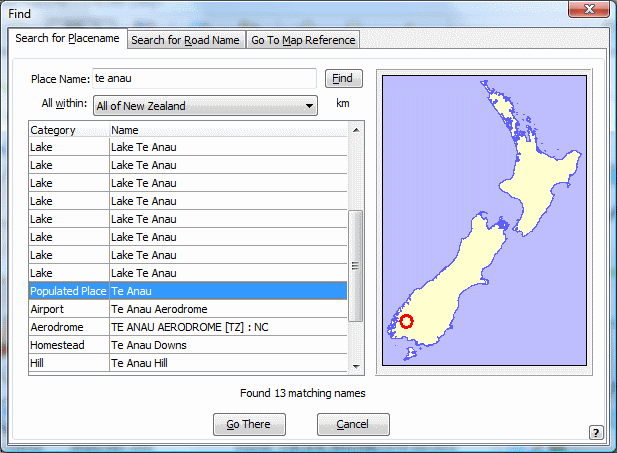
| Find Facility | Search facility that includes more than 150,000 placenames from the LINZ Gazetteer, road names, maps sheet names as well as street addresses. Quickly navigate to the area you need. You can enter coordinates in NZTM, NZMG or WGS-84, with support for 6-digit map references. Search results are sortable, include by distance. Click on the refernce maps to list map features that are nearby. |
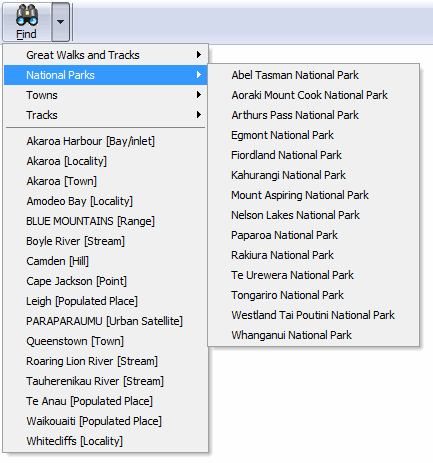
| Favourite Places | Favourites menus allow quick navigation to frequently accessed locations. The Favourites menu "learns" the locations you view most often. You can also create permanent Favourites sub-menus. |
| Link Documents & Photos to Waypoints | Link documents, photos etc to the map by dropping them on the map. |
| Open Linked Documents & Photos | View linked photos by double-clicking on the icon on the map. |
| Geo-code Digital Photos | Use GPS tracks to automatically link digital photos to the map. Using the time stamped on photos by your camera, the software will match the photos to you GPS track-log to figure out where you took the photo. The software automatically creates a waypoint for each photo. Just double-click the icon on the map to see the photo. |
| Create Waypoints from Geo-tagged Photos | If you have a cellphone with a camera or GPS, or a GPS like the Garmin Oregon 550, your photos will have the location where they were taken embedded in them. MapToaster Topo/NZ can automatically create linked waypoints from these photos. |
| Email/Save/Paste a map | You can easily transfer maps to other software, or send them by email. It's easy to paste a map into a Word document or PowerPoint presentation. When files are saved to disk, MapToaster saves the georeferencing information so you can easily open it in other mapping software. Support email services tha require a login, e.g. GMail, Yahoo Mail, Xtra etc. |
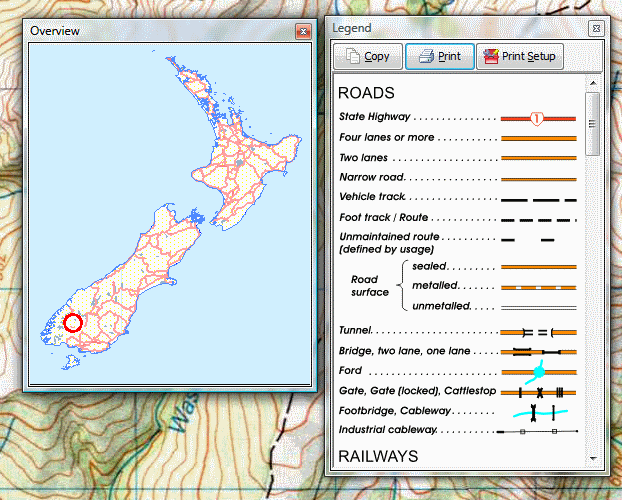
| Print a map | Print either the current view, or a map at true scale. Maps can be printed up to A0 size (assuming your computer has enough memory free). Maps are automatically annotated with grid coordinates, sheet number/date and the correction for magnetic north in that area. The print preview dialog allows you to scale and move the map view to print just the area you want. |
| Measure Distances and Areas | Measure distances and areas by clicking out a path on the map. Distance can be shown in kilometres, miles or nautical miles. |
| Full-screen viewing | Get the maximum possible area of map on your screen - makes the best use of the screen on a laptop. |
| No Mouse Required | Most functions can be accessed using keyboard shortcuts - handy in situation where you can't use a mouse. |
| Netbook Friendly | All the dialog boxes are sized to fit on 9 and 10 inch netbook computer screen. Netbooks that have solid-state hard drives are a great 4WD mapping option. |
| Web Searches | Search selected online mapping services and see their view of what you're looking at in in MapToaster. Included are searches for geocaching.com and Google street maps. You can even add your own. Note that these web services are provided by third parties and we can't guarantee that they will continue to be available. |
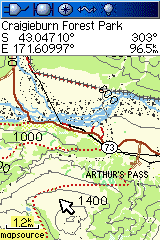
| Google Earth Overlays | You can save a topomap or aerial photo view and view it in Google Earth in 3D. |
| Industry Standard Data Formats |
MapToaster supports a variety of data formats to make information exchange easier. Tracks and
waypoints can be saved/opened in these formats
|
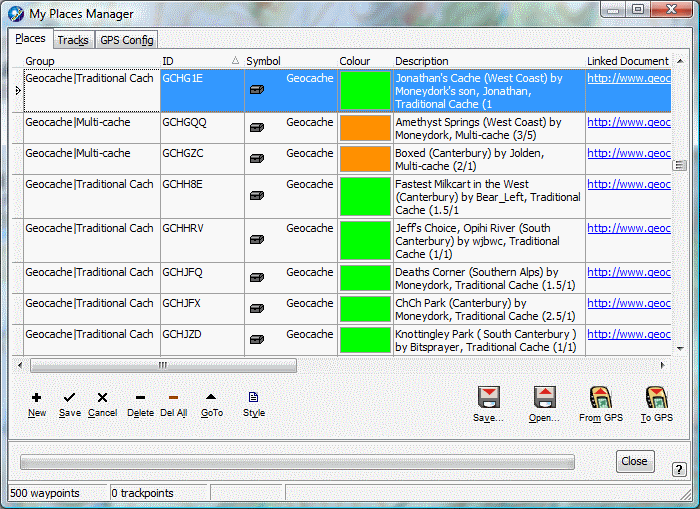
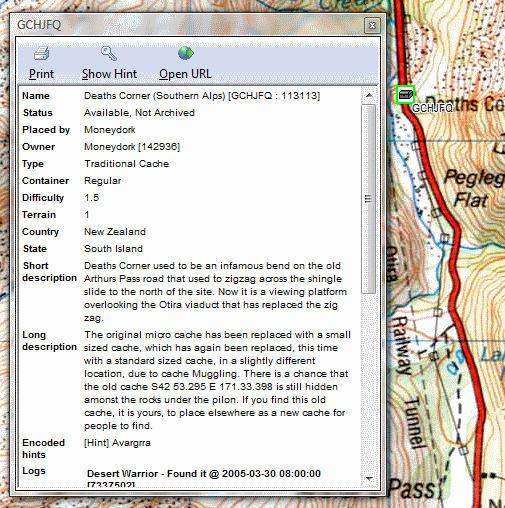
| Pocket Query Support | Open and save geocaching.com Pocket Query files. By double clicking the cache icon on the map, you can open a window with the full cache details. Automatic colour coding by cache type. |
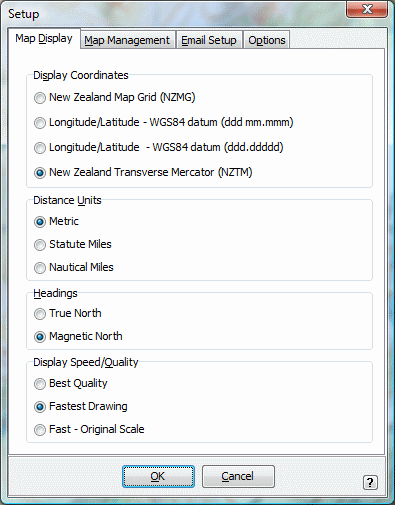
| Range of Coordinate Systems | Coordinates can be shown in New Zealand Transverse Mercator (NZTM 2000), New Zealand Map Grid (NZMG) or WGS-84 /lat/long coordinates. |
| Accurate Coordinate Conversion | MapToaster uses NTv2 for best possible accuracy when converting between NZ Map Grid and WGS-84/NZTM. |
| Maidenhead Squares | Status bar shows the Maidenhead square of the current view, as well as east/north coordinates. |
| Magnetic Declination | Bearings can be shown as either magnetic or NZTM grid north. Local declination is shown on-screen and on prints. |
| Circular Tracks | Automatically create circular Tracks on the map that can be uploaded to a GPS - use to mark points of interest, obstacles etc. |
| Microsoft Windows Versions | Windows 7, 8, 8.1 and . While there is no native OSX version you can use VMware Fusion or Parallels. earlier versions of Windows will probably work, but are not officially supported. |
| Digital Signatures | MapToaster software and the downloadable updates are digitally signed so you can be assured they came from us and have not been altered. |
| USB Drive Version | MapToaster can be supplied on a USB pen drive. This version doesn't need to be installed, you can just plug it into the nearest computer and start it up. Contact us for more details. |
| Network Licences | Cost-effective network licences are available for office use. |
| Education Licences | Special education licences are available for secondary and tertiary institutions. Education pricing is also available for staff and post-grad students of tertiary institutions. |
| Friendly Helpful Support | Our products is backed by friendly helpful technical support. |
| Download a PDF Overview | Download a PDF overview |
PC Software GPS Features
| Manage Waypoints & Tracks | Transfer tracks and waypoints to/from your GPS. Draw tracks and waypoints on the map and send them to your GPS. Capture tracks and waypoints on your GPS and transfer to your PC for viewing and saving on disk. Manage waypoint lists by filtering and sorting using the powerful grid view. |
| Transfer Maps and Aerials | Colorado, Oregon, Dakota can display scanned maps and imagery. MapToaster Topo/NZ lets you transfer map and aerial phot views to the GPS and manage the imagery installed on your GPS. |
| Flexible Waypoint Editing | Point and click editing of waypoint positions and symbols. Create waypoints, linked to photos or other documents, by dragging and dropping a file on the map. |
| Garmin GPS Support | MapToaster supports Garmin protocol and Garmin Mass Storage GPS units for tracks and waypoints. These include eTrex series, GPSMAP 60, 62 and GPSMAP 70 series, Colorado, Oregon, Dakota, Nuvi and Zumo series units. Some aviation units are not supported - if in doubt ask us. |
| NMEA Support | Supports NMEA GPS units for realtime position display. Ideal for use with Bluetooth GPS. |
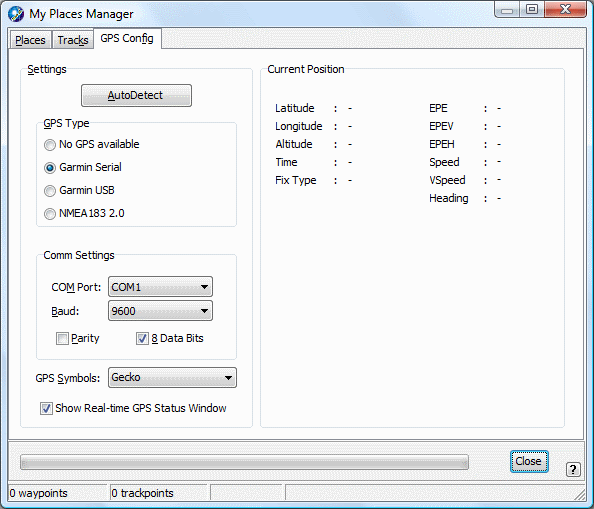
| Autodetect | Configuring most GPS units is as simple as plugging it in and clicking the Autodetect button |
| Realtime tracking | See where you are when you're out in the field. Records a track of where you've been. Navigate to a waypoint. Popup box shows position, speed, heading and satellite availability - useful for Bluetooth GPS units which have no display of their own. High-rate GPS NMEA units are supported with update rates up to 4Hz. |

MapToaster, MapToaster Topo/NZ, MapToaster NZAirPhoto, MapToaster TopoMap are registered trademarks of MetaMedia Ltd. Garmin, Gecko, eTrex are registered trademarks of Garmin Corp. MapInfo is a registered trademark of MapInfo Corp. ArcView is a trademark of ESRI. AutoCAD is a trademark of AutoDesk.
Map Options
Map Toaster Topo/NZ can be purchased in Standard or High-Resolution Editions. The Standard Edition™ offers the best value and modest storage requirements. The High-Resolution Edition™ offers the best possible display and print quality.
Tha mapping covers all of mainland New Zealand and the inshore islands, or for the High-resolution Edition™. All of the Topo/NZ editions use the same software, including the GPS functionality.
Existing users can purchase upgrades at special pricing and TopoMAP version 1 and TopoMapPro version 2 users are, of course, eligible for this. The upgrades page has more detail on what's new.
See Samples of the Maps
___________
Hi-Resolution Edition
The High-Resolution Edition™ contains the following topographic maps:
- 1:2 Million
- 1:1 Million
- 1:500,000
- 1:250,000
- 1:50,000
- Aerial Photography - 2.5 and 10 metres/pixel resolution
- Satellite Imagery - 15 metres/pixel resolution
The product is delivered on one or two DVD disks.
The maps are available at resolutions of both 5 and 10 metres/pixel (i.e. 254 and 127 dpi). The inclusion of the 10 metres/pixel Standard Edition™ data gives you the maximum flexibility in terms of speed and image quality.
The Hi-Resolution maps provide the best quality views and prints. Remember that the High-Res Edition™ has four times as much data as the Standard Edition™.
Click here for prices and purchasing information
___________
Standard Edition™
The Standard Edition™ contains the following topographic maps and aerial photography:
- 1:2 Million
- 1:1 Million
- 1:500,000
- 1:250,000
- 1:50,000
- Aerial Photography - 10 metres/pixel resolution
- Satellite Imagery - 15 metres/pixel resolution
The product is delivered on one DVD disk covering all of New Zealand. This product is a good choice for general use, where the last word in printed quality is not required.
Aerial photography is now included. The Aerial Photos tab above shows the coverage available. The maps have a 10 metres/pixel (127dpi).
It is fast to use and requires 1.4GB of hard drive space.
For best quality printing, you should choose the Hi-Resolution Edition™.
Click here for prices and purchasing information
___________

Upgrades for MapToaster 3.0, 4.0, TopoMap NZ and TopoMapPro
Upgrades of maps and software are available for users of MapToaster Topo/NZ V3.0 and 4.0, TopoMap NZ version 1 and TopoMapPro V2.0. Check here for more details.
Digital Aerial Photographs of New Zealand
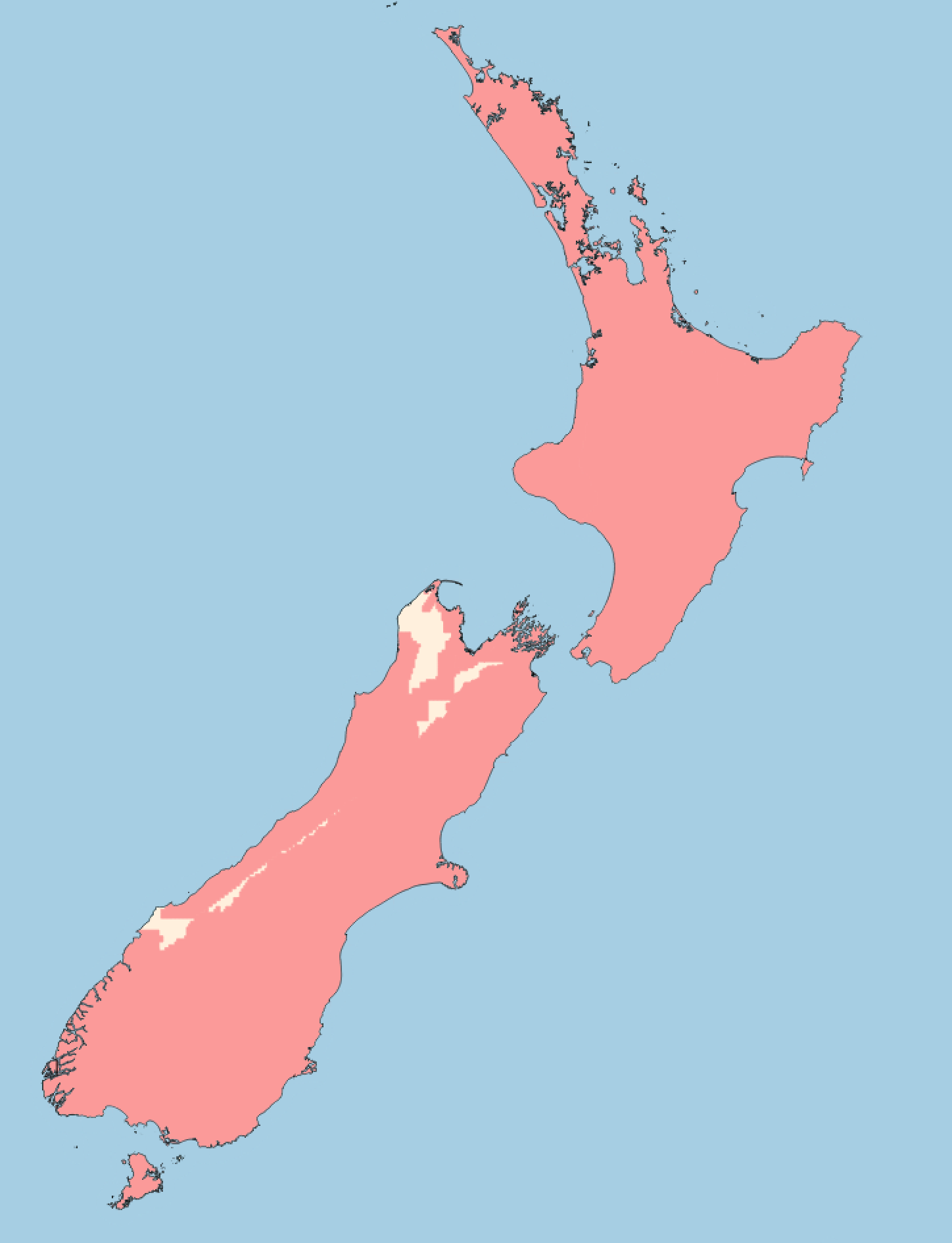
MapToaster Topo/NZ provides aerial photography of over two thirds of New Zealand.
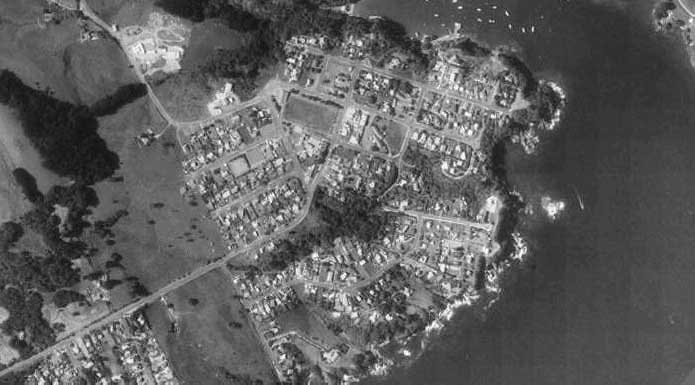
The aerial photography seamlessly integrates with the topographic maps - you can zoom directly from the maps to the aerial photography. The aerial photographs have a resolution of 2.5 metres/pixel in the High-resolution Edition™ and 10 metres/pixel in the Standard Edition™.
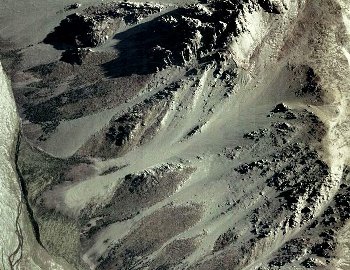
The map data is derived from the LINZ ortho-photo library. The aerial photographs are a mixture of colour and black & white, but the most recent imagery is colour (see map above). All the LINZ imagery released up to Aug 2006 is included.
Aerial Photo Coverage
This map shows the coverage that is available in red.
Transparent Map Overlays
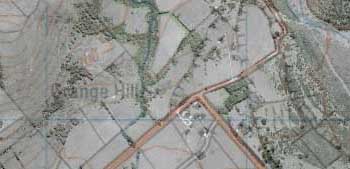
The MapToaster Topo/NZ software has the ability to overlay a transparent topographical map on top of the aerial and satellite imagery. The map overlay feature shows the detail of the photos with the information content in the topographic maps, in one view. You can clearly see roads, walking tracks, placenames, contours and other map features overlaid on the photos.
Satellite Imagery
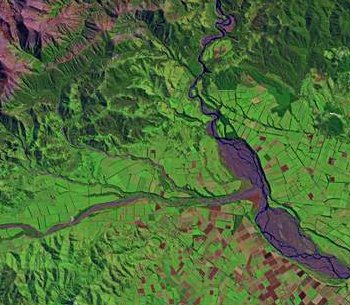
All editions of MapToaster Topo/NZ include satellite imagery with a resolution of 15 metres/pixel. Coverage is national (with the exception of a very small area of Northland an occasional areas of cloud cover).

Aerial Photo Coverage by Town
The following towns have full or partial coverage:
| Acacia Bay | Akaroa | Alexandra | |
| Allanton | Amberley | Apiti | |
| Arapuni | Arrowtown | Ashburton | |
| Ashhurst | Auckland | Balclutha | |
| Balfour | Belfast | Bell Block | |
| Benhar | Benneydale | Blackball | |
| Blenheim | Bluff | Brighton | |
| Brightwater | Broad Bay | Bulls | |
| Bunnythorpe | Burnham | Cambridge | |
| Carterton | Cheviot | Christchurch | |
| Clinton | Clive | Clyde | |
| Collingwood | Coromandel | Cromwell | |
| Cust | Dannevirke | Darfield | |
| Diamond Harbour | Dobson | Douglas | |
| Dunedin | Edendale | Edgecumbe | |
| Egmont Village | Eketahuna | Eltham | |
| Fairfield | Fairlie | Featherston | |
| Feilding | Foxton | Foxton Beach | |
| Frankton | Frasertown | Geraldine | |
| Gisborne | Glen Eden | Glenfield | |
| Glentunnel | Gore | Greymouth | |
| Greytown | Halcombe | Hamilton | |
| Hampden | Hanmer Springs | Hastings | |
| Haumoana | Havelock | Havelock North | |
| Hawarden | Hawera | Helensville | |
| Herbert | Hokitika | Hope | |
| Hororata | Howick | Huntly | |
| Inglewood | Invercargill | Kaiapoi | |
| Kaitangata | Kaka Point | Kaponga | |
| Karitane | Katikati | Kawerau | |
| Kelvin Heights | Kerikeri | Kihikihi | |
| Kimbolton | Kirwee | Kumara | |
| Kumeu | Kuratau | Lake Hawea | |
| Lawrence | Leeston | Leigh | |
| Lepperton | Levin | Lincoln | |
| Longburn | Lower Hutt | Lumsden | |
| Lyttelton | Macandrew Bay | Maheno | |
| Manaia | Manakau | Mangakino | |
| Mangatainoka | Mangaweka | Mangawhai Heads | |
| Manurewa | Martinborough | Marton | |
| Maruia | Masterton | Matamata | |
| Mataura | Meremere | Methven | |
| Middlemarch | Midhirst | Milton | |
| Moana | Morrinsville | Mosgiel | |
| Mossburn | Motueka | Mount Albert | |
| Mount Eden | Mount Maunganui | Mount Roskill | |
| Mount Wellington | Napier | Naseby | |
| Nelson | New Lynn | New Plymouth | |
| Newmarket | Ngaruawahia | Ngongotaha | |
| Nightcaps | Normanby | Norsewood | |
| Oakura | Oamaru | Ohai | |
| Ohaupo | Ohingaiti | Ohope | |
| Okato | One Tree Hill | Onehunga | |
| Opotiki | Orewa | Ormondville | |
| Otahuhu | Otaki | Otane | |
| Otara | Otautau | Otorohanga | |
| Outram | Owaka | Oxford | |
| Paengaroa | Paeroa | Pahiatua | |
| Paihia | Pakuranga | Palmerston | |
| Palmerston North | Papakura | Papatoetoe | |
| Paraparaumu | Pareora | Picton | |
| Piopio | Pirongia | Pleasant Point | |
| Porangahau | Porirua | Porto-bello | |
| Prebbleton | Pukekohe | Putaruru | |
| Queenstown | Rakaia | Ranfurly | |
| Rangiora | Rapahoe | Ratana | |
| Reefton | Remuera | Renwick | |
| Richmond | Riversdale | Riverton/aparima | |
| Rolleston | Rongotea | Ross | |
| Rotorua | Rotowaro | Runanga | |
| Russell | Sanson | Seddon | |
| Sefton | Shannon | Sheffield | |
| Snells Beach | South Bay | Southbridge | |
| Southbrook | Spring Creek | Springfield | |
| Springs Junctions | Stoke | Stratford | |
| Taihape | Takaka | Takapau | |
| Takapuna | Tangimoana | Tapanui | |
| Taranui | Taumarunui | Taupo | |
| Tawa | Te Anau | Te Araroa | |
| Te Aroha | Te Awamutu | Te Kauwhata | |
| Te Kopuru | Te Kuiti | Te Puke | |
| Te Teko | Temple View | Templeton | |
| Temuka | Timaru | Tinwald | |
| Tirau | Tokaanu | Tokanui | |
| Tokomaru | Tokoroa | Tuakau | |
| Tuamarina | Tuatapere | Turakina | |
| Turangi | Upper Hutt | Urenui | |
| Waharoa | Waiau | Waihi | |
| Waihi Beach | Waihou | Waikaka | |
| Waikanae | Waikanae Beach | Waikari | |
| Waikawa | Waikouaiti | Waimate | |
| Wainuiomata | Waiouru | Waiouru Military Camp | |
| Waipara | Waipawa | Waipukurau | |
| Wairoa | Waitahuna | Waitara | |
| Waitarere | Waitoa | Waiuku | |
| Wakefield | Waldronville | Wallacetown | |
| Wanaka | Wanganui | Warkworth | |
| Warrington | Waverley | Wellington | |
| Wellsford | Weston | Westport | |
| Whakatane | Whangamata | Whareroa Village | |
| Whitianga | Winchester | Winton | |
| Woodend | Woodville | Wyndham |